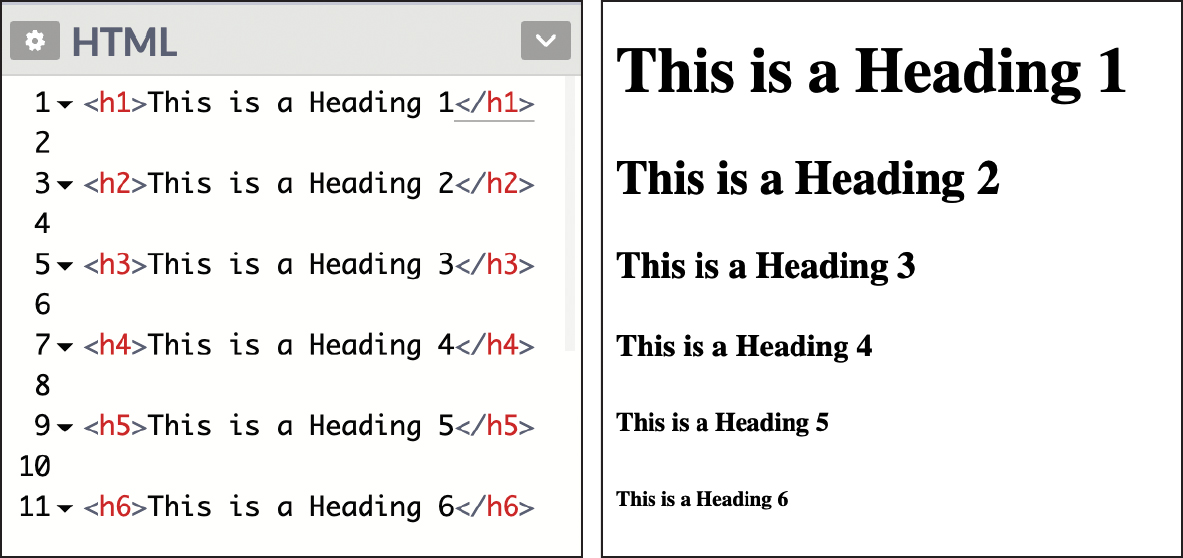
HTML 5
HTML Element
Standard Elements that browser recognizes.
HTML Tags
A container for some content or other tags.
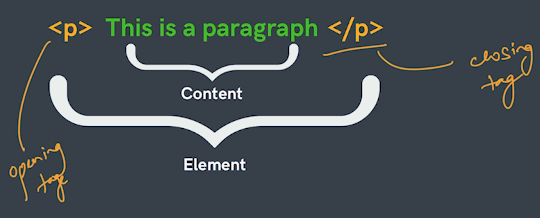
Tags Nesting
Tags in Tags

HTML Boilerplate
This is the Standard format or skeleton of writing HTML code.
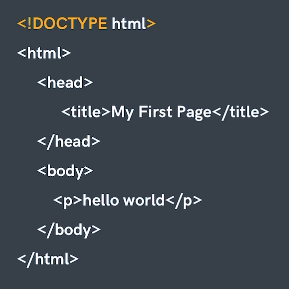
For CSS and JavaScript file linking :-
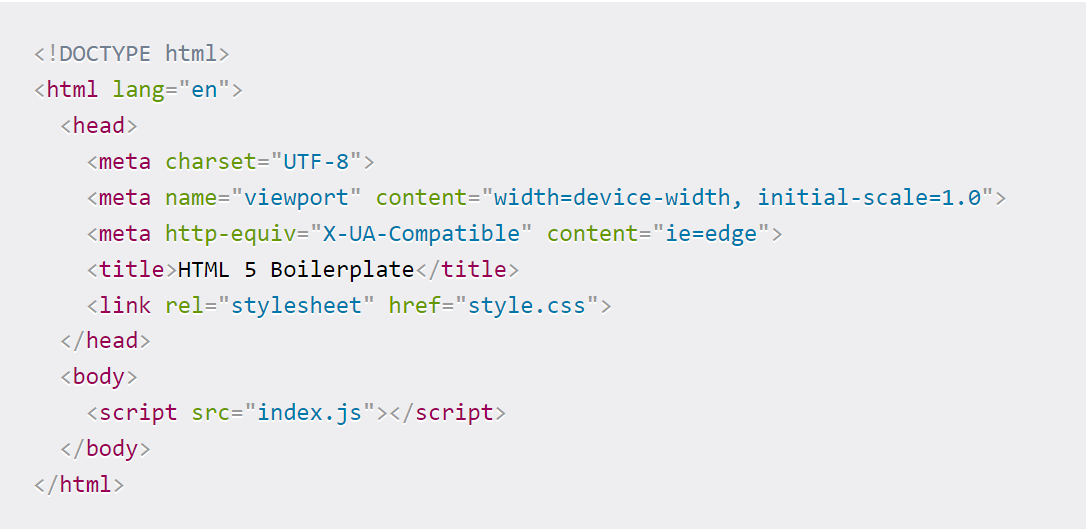
!DOCTYPE html :-
This shows that we are using HTML version 5.
html Tag :-
Root Tag of the html file
head tag :-
Contain Meta data of html file and this is not visible for normal user
Meta tag:-
contains meta data of html file.
Link tag:-
link html file to css file.
title tag:-
this rename the tile of name of the browser webpage name. If we did not use this then the title of the webpage will be the name of the html file (ie - index.html).
body tag :-
contains main data and information of the website it is directly visible to user. it has tags like - p, div, span etc. the most important tag is script tag
HTML attributes
attributes are used to add more information to the tag.
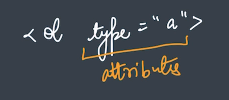
in this type is attribute and a is value of the attribute. In attribute the value is changable and is written under inverted comma (" ").
Semantic Markup
It is the markup that relates to the "Meaning of content".
There are two types of tags:-
Semantic Tags:-
We can guess the type of content by seeing the tag or to to guess meaning of tags.
ie-heading tags, paragraph tag(p), image tag(img) etc.
Non-semantic Tags:-
We can not guess the type of content by seeing the tag.
ie-div tags, span tag etc.
Note :-
We try to write website mostly semantic so we can guess what kind of content that section have, for that we use "Section" tag, "Header" tag, "Footer" Tag instead of "Div" tag or "span" tag.Some semantic markups :-
-
Simgle use :-
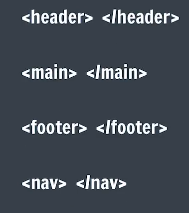
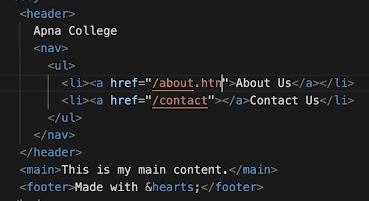
-
Multiple use :-
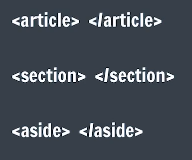
- "article" tag :-
This is used to write some content. It is used to create a small document section containing "h1" to "h6" heading tags, images, links etc
- "section" tag :-
It is used to create a section like "div" tag, but it is semantic.
- "aside" tag :-
This is used to give "Indirect related content and links"
By using semantic tags the structure of the website become meaningful and structured.
Our Website become SEO friendly(Search engine optimization).
Website become readable and supportable for Screen Reader (Used by Blind People).
Improve UX (user experience).
HTML Entities
- An Html entity is a piece of text ("String") that begins with an ampersand (&) and ends with a semicolon (;).
- Used to display reserved characters (Which would otherwise be interpreted as HTML code), and invisible characters (like non-breaking spaces).
- Can also use in place of characters that are difficult to type with a standard keyboard.
- Browser interprets them and renders correct character.
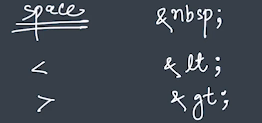
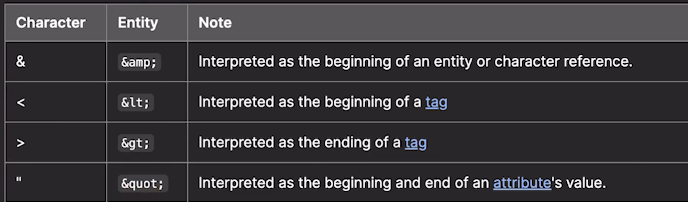
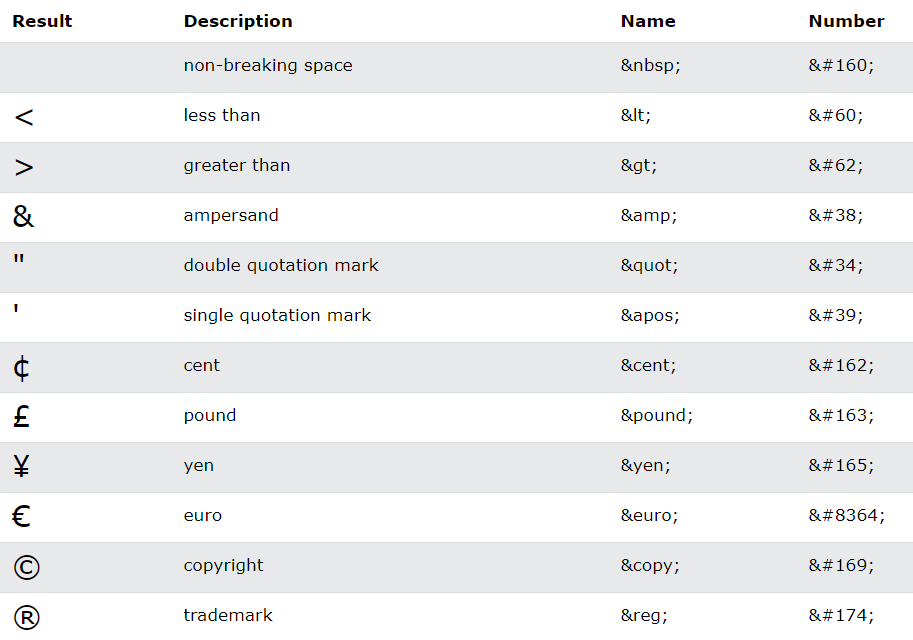
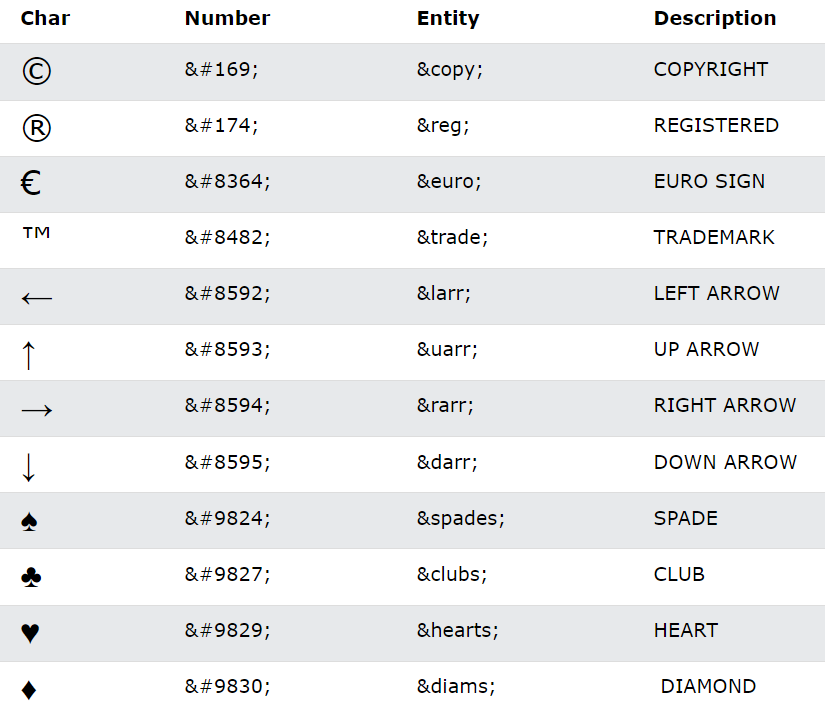
you can check all HTML Entities here (MDN referencce).
Note:-
from unicode we have to convert unicode to decimal then we can write it as "&# decimal_number ;".
from unicode we have to we can write it as "&#x unicode_number ;"
main page :- Click Here